Capabilities.
Every format a kitchen produces. Every field is optional. None of the structure is.
The Model
Flexible Recipe Architecture
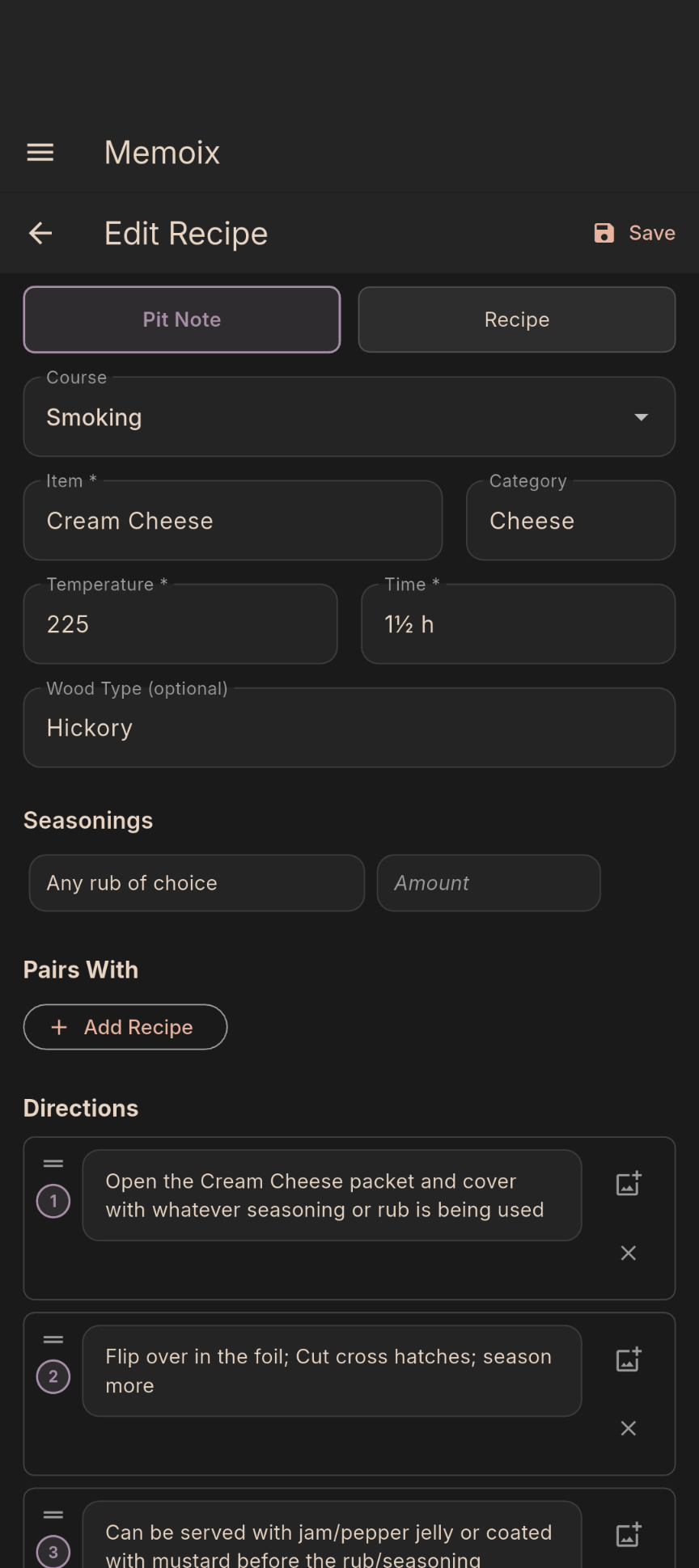
Memoix handles smoking pit notes, pizza compositions, and modernist process logs alongside conventional recipes. Entries can be partial, technical, or format-specific. The structure adapts to the work, not the other way around.
The Order
Import & Normalisation
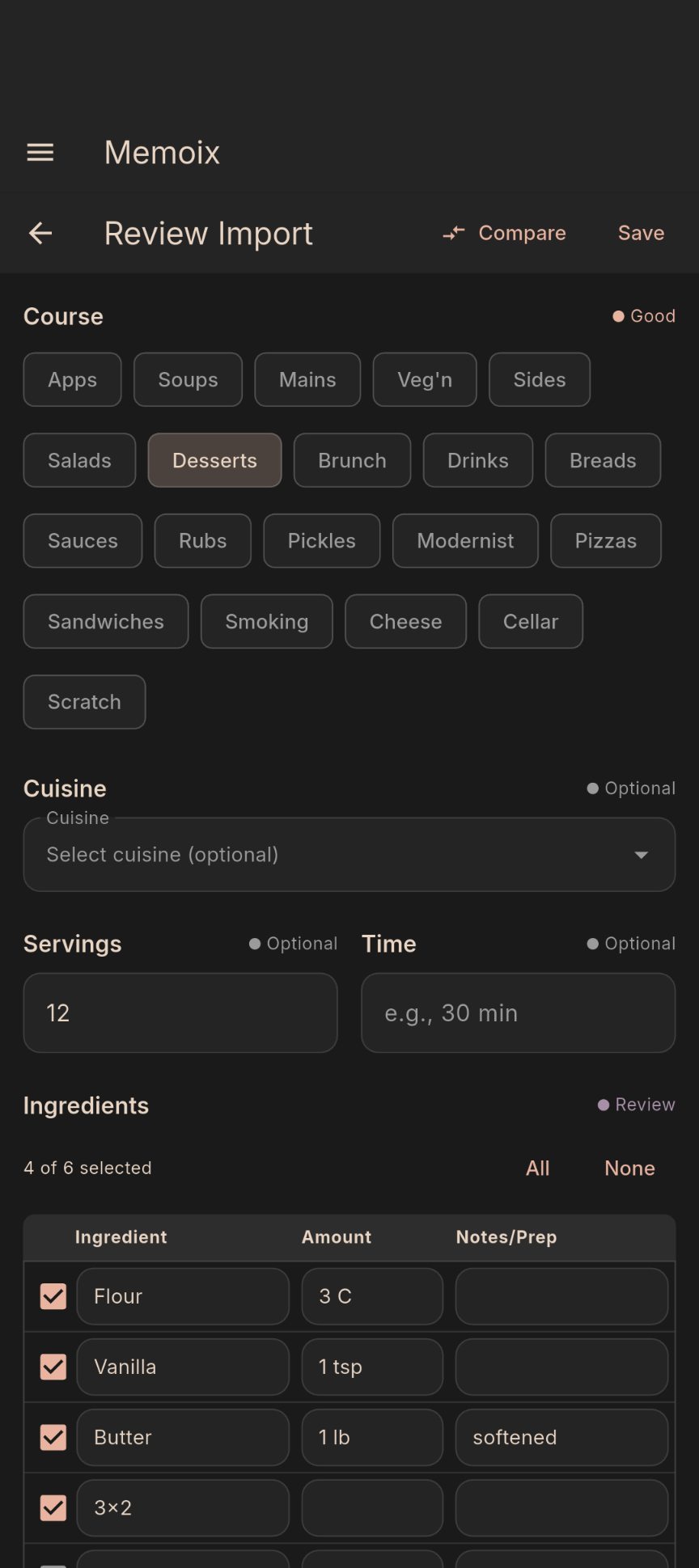
OCR for physical books and handwritten notebooks. URL parsing for web recipes. QR codes and deep links from other devices. Everything that comes in goes through a review screen before saving. Fractions convert to symbols, units normalise, names title-case. Adjust, tag, and place the recipe before it lands in your collection.
Optional AI-assisted import is available via user-provided API keys for formats that resist standard parsing.
The Line
Side-by-Side Cooking
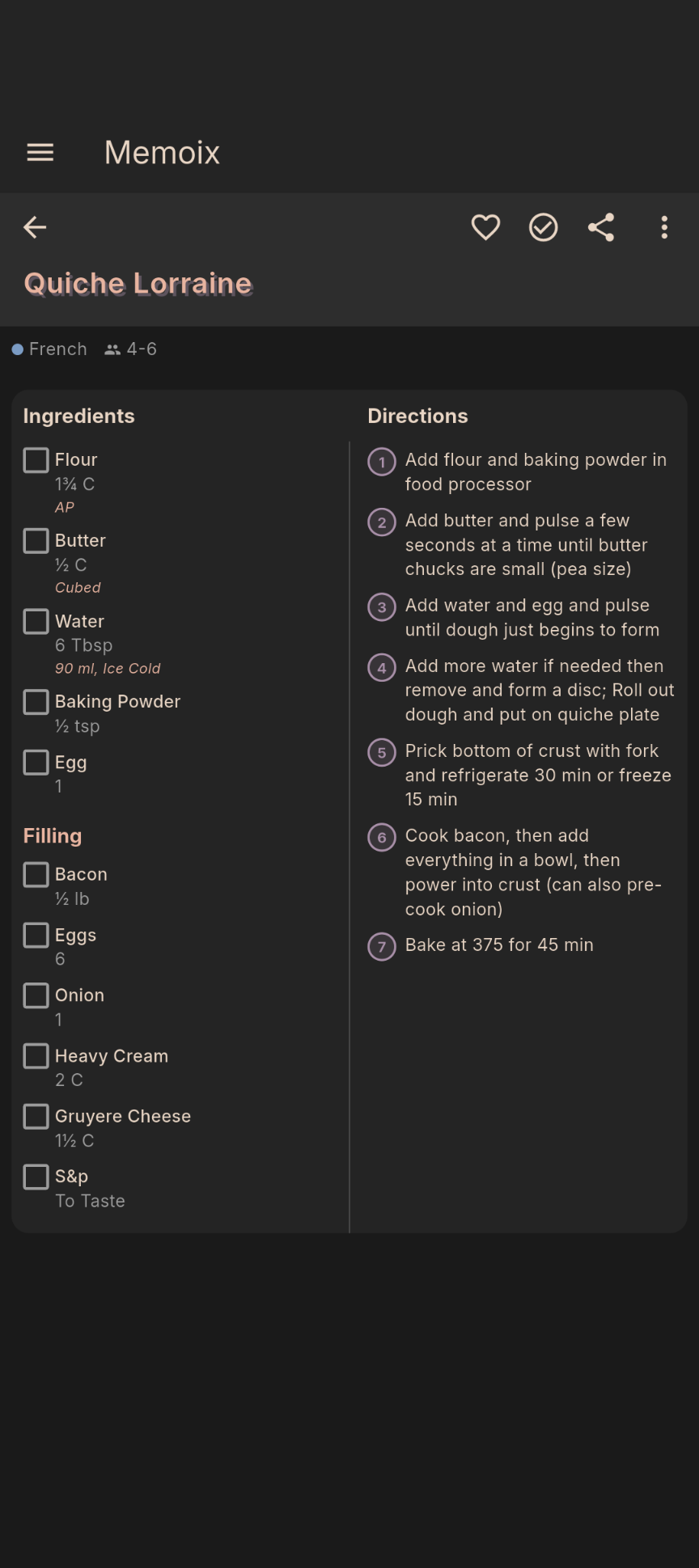
Ingredients and directions stay on screen together, each column scrolling independently. Tap a step to mark it complete. Long-press any timed step to start a persistent timer that keeps running in the background. Multiple timers can run at once.
Long-press any ingredient to view flavour profiles and substitutions. Available with an AI provider configured in Settings.
The Brigade
Long-press the serving size to scale quantities in-session. Every original measurement stays intact in the database.
Most recipe formats put images at the start or in a gallery at the end. Neither helps mid-step. Pin any gallery image to a specific direction. An icon appears on that step. Tap it to see what the texture, consistency, or colour should look like at that moment, without losing your place.
Export any recipe as a QR code, share link, text message, or email. QR transfers work offline between devices. Drop an entire email or message thread into the import tool and it finds the recipe link automatically.
Local by default. Optional backup or sync via Google Drive or OneDrive. Shared folders give others access to the same library. Fully user-controlled.
Arrange recipes by day and course: breakfast, lunch, dinner, snack. Drag to reorganise as the week changes.
Build a list manually, generate one from selected recipes, or pull directly from the current meal plan.
Pull up any two recipes, saved or freshly imported. Ingredients and directions appear side by side. Select what to keep and save the result as a new draft.
Two workspaces. Draft recipes for things still being worked out, promotable to the main collection when ready. Quick notes for everything else. Both auto-save.
Timers run in the background and stack. A measurement converter handles unit conversions without leaving the app.